Balance is more useful than pressure.
HabitSpark does not ask you to optimize every minute. It helps you notice whether your day is leaning toward Growth, Leisure, or recovery.
 HabitSpark Download on the App Store App Store
 Time balance app
HabitSpark helps you see focused effort and downtime in the same private system, so work, learning, rest, and fun all stay understandable.
Start with one Growth activity and one Leisure activity; the free core loop is enough to see whether the balance model fits you.
HabitSpark does not ask you to optimize every minute. It helps you notice whether your day is leaning toward Growth, Leisure, or recovery.
Gaming, scrolling, streaming, rest, and other downtime can be tracked as intentional Leisure instead of treated like something outside the plan.
Use case
HabitSpark does not plan every hour of the day. It helps you understand the relationship between time spent on personal growth and time spent on recovery, entertainment, and rest.
Review
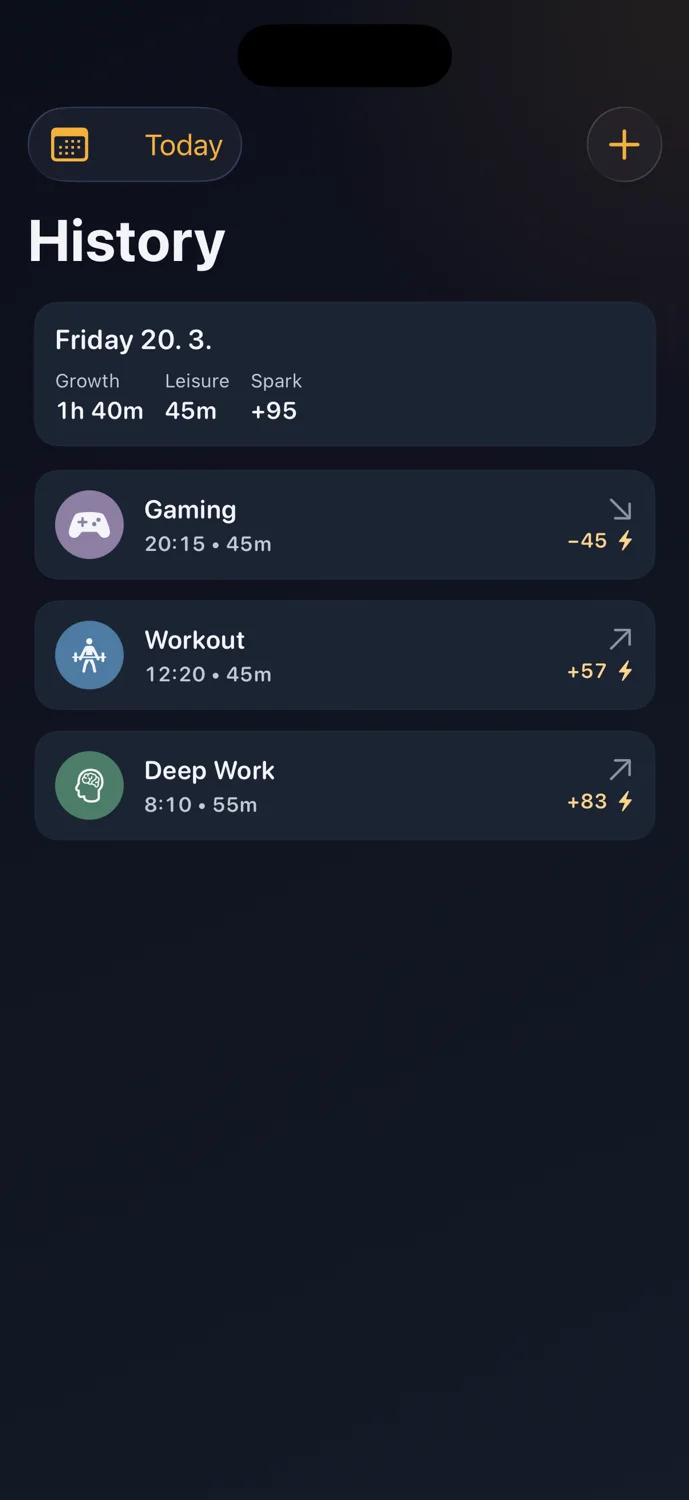
A day with work, scrolling, reading, and gaming can still make sense when each session has a role and the final balance is visible.
Example day
A 45-minute study session, 20 minutes of scrolling, and 30 minutes of reading do not need to become a moral score. HabitSpark records what built Spark, what spent it, and what the day looked like afterward.
What HabitSpark does
HabitSpark helps you manually balance effort, leisure, and recovery with a private Spark balance and daily History.What HabitSpark does not do
HabitSpark is not a calendar planner, automatic time tracker, or minute-by-minute optimization system.How it works
Use Growth for work, study, reading, training, or other personal improvement time. Multipliers let stronger activities build Spark faster.
Use Leisure for breaks, entertainment, and recovery. Multipliers let different kinds of downtime spend Spark at different rates.
Review the day to see what added Spark, what spent it, and where the balance landed.
FAQ
No. HabitSpark is for tracking and reviewing time you choose to capture. It is not a calendar planner or automatic schedule.
Yes. HabitSpark is built around the idea that Growth and Leisure both need a place if you want a realistic view of your time.
HabitSpark
Download HabitSpark when you want a calmer way to pace effort and rest.