Your routine data is personal.
The current app is local-first: timers, activities, history, and settings are stored on your device instead of a HabitSpark account.
 HabitSpark Download on the App Store App Store
 Private habit tracking
HabitSpark helps you track Growth, Leisure, and routines without creating a HabitSpark account. The core tracking data is stored locally on your iPhone.
Install HabitSpark if you want private habit and time tracking without setting up another account.
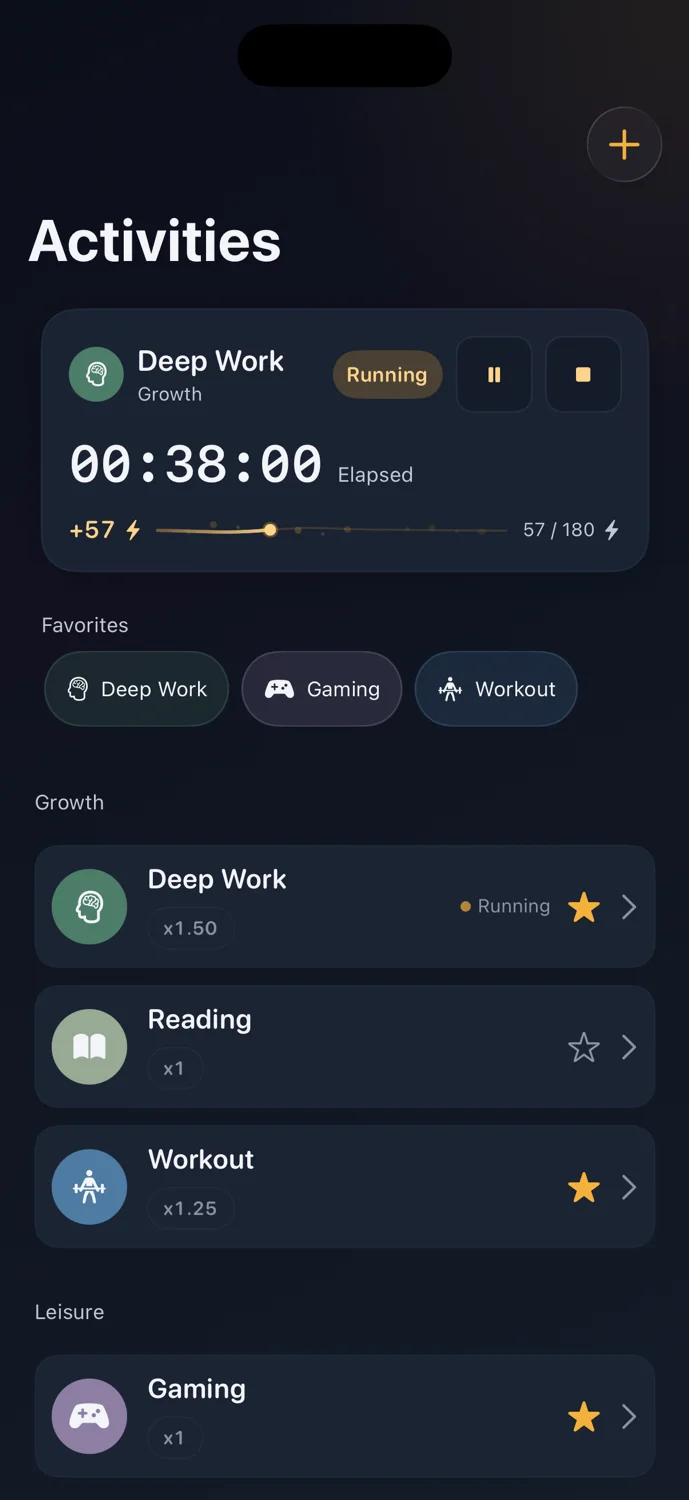
The current app is local-first: timers, activities, history, and settings are stored on your device instead of a HabitSpark account.
HabitSpark is designed for reflection, not surveillance. The app helps you understand your time without sending core tracking data to a HabitSpark account.
Privacy
Activities, timers, History, and settings belong to the app experience on your iPhone. App Store purchases use Apple's StoreKit system.
Data boundary
You can start with local tracking and add optional Pro Backup & Restore later if you want portability.
Privacy-first setup
Create Deep Work, Reading, Gaming, or Rest directly on your iPhone. Your timers, quick logs, History, and settings belong to the local app experience rather than a HabitSpark web account.
What HabitSpark does
HabitSpark keeps the core tracking loop local on your device and uses Apple's StoreKit system for App Store purchases.What HabitSpark does not do
HabitSpark is not a cloud team tracker, social accountability app, or web dashboard. Pro Backup & Restore is optional and separate from the core loop.How it works
Set up Growth and Leisure activities on your iPhone.
Use timers and quick logs without creating a HabitSpark login.
Use optional Pro Backup & Restore when you want portability.
FAQ
No. The core tracking loop works without a HabitSpark account.
It is an optional Pro feature for portability. It is separate from the local-first core tracking loop.
HabitSpark
HabitSpark keeps the core habit and timer loop private by default.