Visibility changes the decision.
When screen time is invisible, it is easy for it to blur together. HabitSpark helps you log it as a clear Leisure session.
 HabitSpark Download on the App Store App Store
 Intentional screen time
HabitSpark gives screen-based leisure a place in your time balance, without automatic tracking, app blocking, or shame.
Install HabitSpark if you want a manual, private way to name screen-time sessions and balance them with Growth.
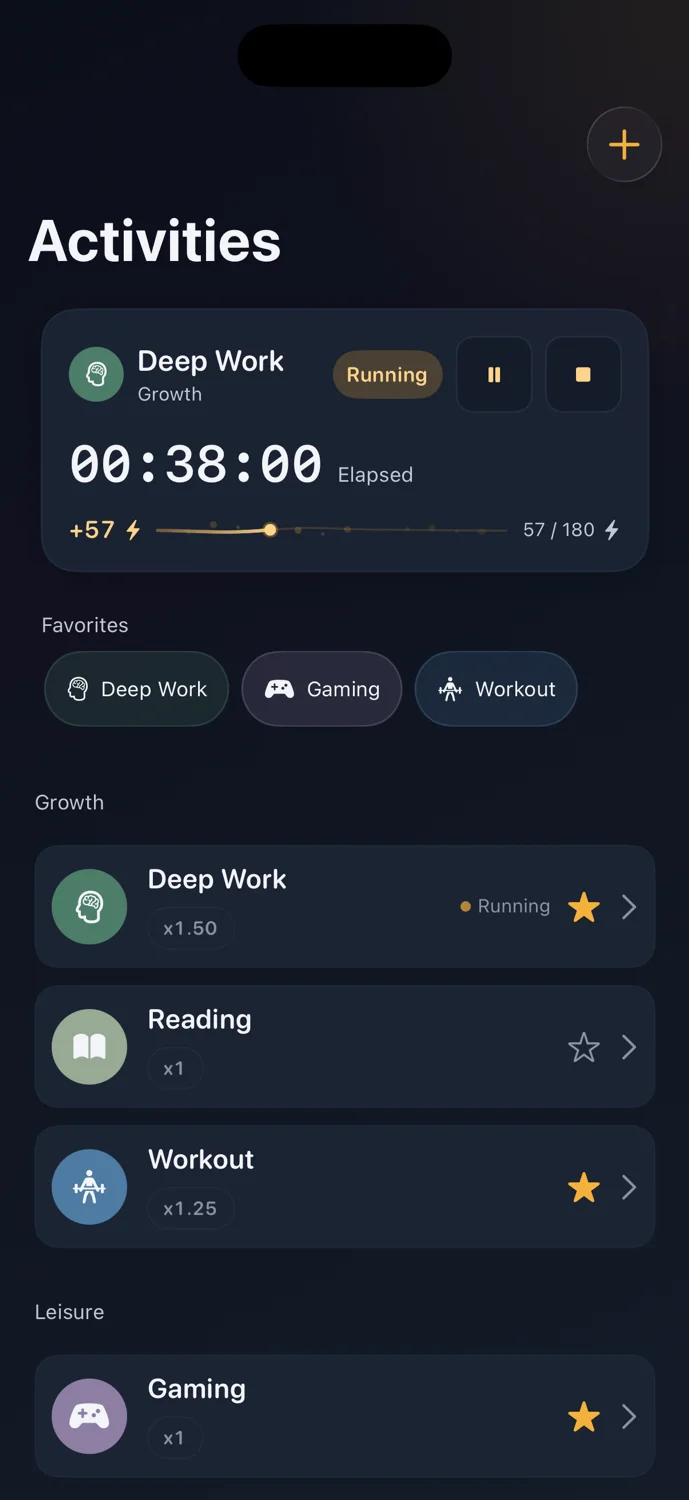
When screen time is invisible, it is easy for it to blur together. HabitSpark helps you log it as a clear Leisure session.
You choose what to track. HabitSpark does not monitor your apps or lock you out.
Manual by design
Screen-time sessions are tracked only when you choose to track or quick log them. That keeps the page honest: HabitSpark is for manual awareness, not surveillance.
Balance
Socials, games, streaming, or scrolling can be tracked as Leisure so the time has a place next to Growth instead of becoming a vague blur.
Manual screen-time workflow
If a short check turns into 25 minutes of scrolling, quick log it as Socials or Screen Time. HabitSpark keeps the session visible without reading Apple Screen Time or watching your apps.
What HabitSpark does
HabitSpark lets you manually track screen-based leisure with timers, quick logs, and History.What HabitSpark does not do
HabitSpark does not import Apple Screen Time, monitor apps, block apps or websites, or decide whether screen time is allowed.How it works
Add Social Media, Gaming, Streaming, Scrolling, or any other category that fits.
Start a Leisure timer or quick log the session afterward.
Use Spark to see how screen-based downtime fits with the rest of your day.
FAQ
No. HabitSpark does not read Apple Screen Time or monitor app usage. You manually track screen-time sessions you want to make visible.
No. HabitSpark is a manual tracking and reflection app, not an app blocker.
HabitSpark
HabitSpark helps you track leisure manually and intentionally.